The best AI receptionist for a small business depends on how your customers reach you: an AI-first service suits routine calls, one with human backup suits calls that can't go wrong, and a receptionist built into your phone system suits teams already on one.
So, we compared nine of them.
A missed call is rarely dramatic. The phone rings while you're with a customer, or after you've locked up, and the caller simply moves on to the next business on their list.
An AI receptionist is software that picks up in your place, answers common questions, books appointments and hands the call to a person when it needs one.
If the idea is new to you, our explainer on what an AI receptionist is and how it works covers the basics.
So for each one, we looked at three things: what happens on the call, what happens after it, and what it really costs, with a source and a date. We also say where each falls short.
In this guide you’ll see:
- Nine AI receptionists in three groups: AI-first, AI with human backup, and built into a phone system
- A table of what each one does after the call ends
- A five-call test you can run before you switch your number over
How We Chose These Nine
A list of nine tools means little if you can't see how it was put together, so here is what we did.
We started with the AI receptionists that small businesses meet most often when they compare options, then kept the ones that answer a real business line, publish a price and don't need a developer to set up.
We then sorted them into three groups, because they're built for different jobs.
The first group is AI-first receptionists (Joble, Goodcall, Rosie, My AI Front Desk, Upfirst and Reception), which answer with software and hand over to your team.
The second is AI with human backup (Smith.ai and Abby Connect), where trained people take over when a call needs one.
The third is a receptionist built into a phone system (RingCentral).
For each one, we checked five things:
- What happens on the call: how it answers, whether it books into your calendar and which languages it speaks
- What happens when it can't help: whether it transfers to your team, to the vendor's own agents, or takes a message
- What happens after the call: transcripts, summaries, CRM sync and follow-up texts
- How it's billed: by the minute, the call, the caller or a blend, and what an extra unit costs
- Setup and data: whether you keep your number, how long setup takes and what the vendor says about where data is stored
The five-call test later in this guide is how you can check for yourself. We left out developer platforms for building your own voice agent and enterprise contact-centre suites, because they're built for a different buyer.
Quick Picks: Which AI Receptionist Fits Your Business
If you're short on time, start here. Find the line that sounds most like your business, then read that entry in full.
Each row points to one service, but treat it as a shortlist, not a verdict, because several of these will suit more than one kind of business.
Service | Type | Best for | Billed by | Price from (as shown) |
1. Joble | AI-first | Customers who also chat, message on WhatsApp and email, and you want one record of every conversation | Minutes | €74 a month, billed annually (excl. VAT) |
2. Goodcall | AI-first | Paying by the number of different callers rather than by the minute | Unique callers | $79 a month, up to 100 unique customers |
3. Rosie | AI-first | Simple minute-based plans, with booking and live transfers on the higher plans | Minutes | $49 a month, 250 minutes |
4. My AI Front Desk | AI-first | Phone, chat, text and forms in one plan, with a free trial first | Minutes | 7-day free trial; then $99 a month, 200 minutes |
5. Upfirst | AI-first | About 30 calls a month, paid per call | Calls | $24.95 a month, 30 calls |
6. Reception | AI-first | A low-priced, minute-based plan for callers who speak many languages | Minutes | $29 a month, 75 minutes |
7. Smith.ai | AI with human backup | AI that can hand calls to live agents | Calls | Free plan (25 calls); $150 a month, 75 calls |
8. Abby Connect | AI with human backup | Mixing AI and human answering in one plan | Abby Minutes, a blend of the two | $164 a month, 50 Abby Minutes |
9. RingCentral | Built into a phone system | Already using RingCentral, or wanting a receptionist that works with your phone system | Minutes | From $49 a month, 100 minutes |
What an AI Receptionist Actually Does
Before you compare nine services, it helps to be clear about what you're comparing. An AI receptionist is software that answers your business calls, talks to the caller in natural language, replies from information you give it, books appointments, takes messages and passes the call to a person when it needs one.
Some, like Joble, also answer texts and website chat.
Here is what a typical call looks like from the caller's side:
- The phone rings and the receptionist answers within a few seconds, using your business name.
- It works out what the caller wants and replies with your hours, services and frequently asked questions.
- If they want to book, it checks your calendar and offers a time. If not, it takes their details.
- If the caller asks for a person, or the question is outside what it knows, it transfers the call, takes a message or books a callback.
- Afterwards, you get a transcript or summary, and in some products the details go straight into your CRM.
The services in this guide handle those steps differently, which is why the rest of the guide is organised around them.
But the basic job is the same, and it's worth seeing how it compares with the options you're probably weighing it against:
Voicemail | Answering service | AI receptionist | Hired receptionist | |
Who answers | Nobody, it records | Trained people at a call centre | Software | Your own employee |
Hours | Always on | Often 24/7 | Always on | Their shift |
Calls at once | Records each message | Limited by staff on shift | Many at once | One at a time |
Books appointments | No | Sometimes | Usually | Yes |
Best at | Catching a message | Passing messages on, with a human voice | Routine calls at any hour | Judgement and relationships |
Each has a place. Voicemail leaves the caller waiting for a reply, and many won't wait.
A traditional answering service mostly takes and relays messages, though many now book appointments too.
A hired receptionist brings judgement and knows your regulars, but covers only the hours they work.
An AI receptionist is strongest on routine calls at any hour and weakest on the ones that need a person's judgement, which is why most of the services here can hand over.
Best AI Receptionists
1. Joble
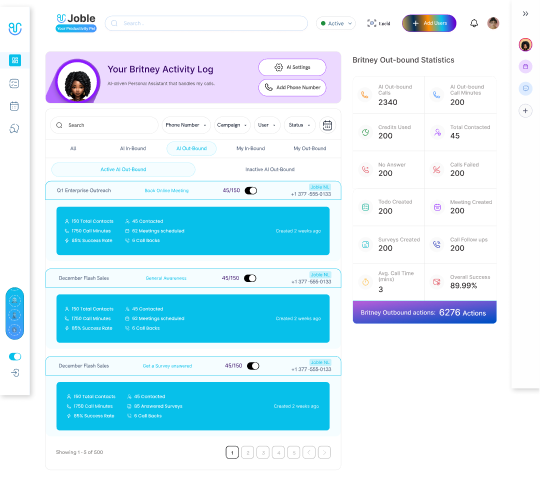
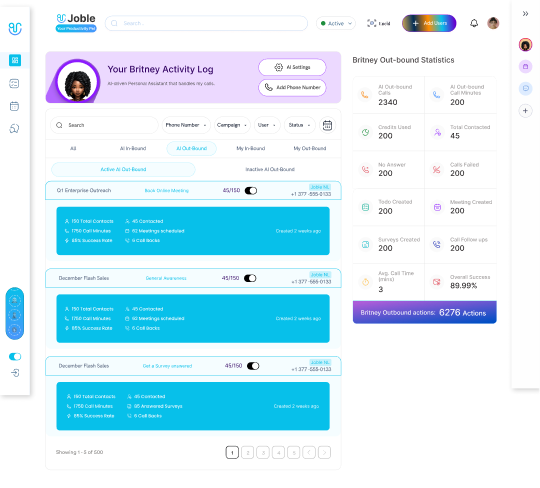
Joble is an AI customer-engagement platform for businesses of 5 to 50 people: one set of AI agents covers the phone, website chat, WhatsApp, email and SMS, and a shared workspace gives your team a single place to read, review and pick up every conversation.
The easiest way to see how that works as a receptionist is to follow three customers through a day.
At 7pm, someone calls after you've closed: the Phone Agent picks up in about two seconds, answers their question, books a slot in your live calendar and sends them a confirmation and invite.
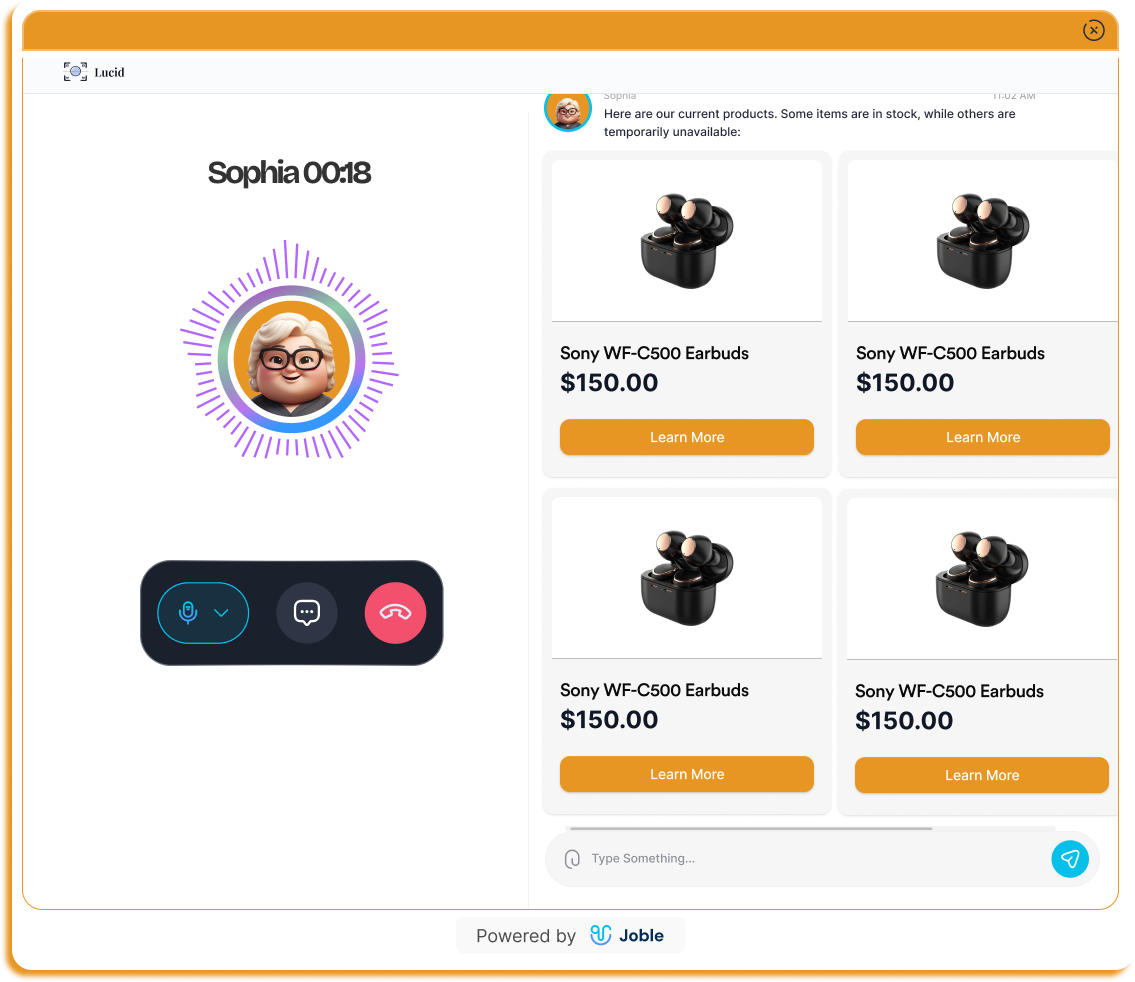
At lunchtime, a visitor on your website asks whether you can take an order for Friday: the Web Agent takes it, and if the conversation gets complicated, it passes it to your team, and you can step into any live chat yourself.
At the weekend, a regular messages you on WhatsApp, and the WhatsApp agent picks that up too.
All three land in the same Workspace, so on Monday your team reads one list of conversations instead of a voicemail box, a chat inbox and a WhatsApp thread.
You decide how much the AI handles: it can answer first, back up your team, or run on its own. Calls that need a person are transferred to your own team along with the conversation so far.
It connects to Google Workspace, Microsoft 365, Shopify, WooCommerce, WordPress, Webflow, Wix, Squarespace and Stripe, with HubSpot and Salesforce on Growth and above.
Pricing
- Starter: €74 a month billed annually (€89 if monthly), with 500 AI minutes, 3 seats and 1 phone number
- Growth: €249 a month billed annually, with 2,000 AI minutes, 10 seats, campaigns, HubSpot and Salesforce, and priority support
- Scale: €749 a month billed annually, with 6,000 AI minutes, 25 seats, custom voices, a dedicated CSM and SLA, and multi-site
- All five agents are included on every plan, and prices exclude VAT. Full details are on the pricing page.
Pros
- One agent for each channel, all included in every plan, so adding chat or WhatsApp doesn't mean another vendor
- Phone, chat and messages end up in one workspace your team can review
- Three modes, so you can start with your own team answering and hand more to the AI as you trust it
- Handles up to 200 calls at once and speaks 13 languages with automatic detection
- EU-hosted with GDPR data residency
Cons
- No outsourced live agents, so you'd need a service from the second group for that
- Multi-site setups are listed on Scale only
If your customers move between the phone, your website and WhatsApp, Joble is the one here built to keep that together.
2. Goodcall
Goodcall's pitch is simple: you pay for the people it helps, not for the minutes it spends talking.
Behind that sits an agent that answers every call at any hour and keeps asking your questions until it has the details you need, reading back names, numbers and emails to check them.
It tells callers they're talking to an AI assistant, and for appointments it checks your calendar, offers times, books one and texts everyone the confirmation.
If a caller asks for a person, or the call needs one, it transfers to the right contact and works down your list, up to three numbers, if nobody answers. You can point transfers at a department instead of your main line, or have it take a message, send a link or arrange a callback. Spam callers are spotted and the call is ended.
The after-call side is built around speed. Lead details reach you by text and email while the caller is still on the line, every call is recorded and transcribed, and leads can flow into Google Sheets, HighLevel or any tool with an API or MCP server, with Zapier for the rest.
Pricing
- Starter: $79 a month covers 100 unique customers, and each one after that is 79¢. The page puts that at about 150 calls.
- Growth: $129 a month covers 500 unique customers, then 26¢ each, or about 750 calls
- Scale: $299 a month covers 2,000 unique customers, then 15¢ each, or about 3,000 calls
- Enterprise: not listed
- A caller counts once a month, however often they ring, and there are no per-minute charges. By our arithmetic, Starter stops being the cheapest at around 163 unique callers.
Pros
- Billing counts people, so repeat callers and long calls don't push the bill up
- Transfers have a fallback, with up to three numbers tried in turn
- Lead details arrive by text and email as the call happens, and every call is transcribed
- You can test a demo agent before connecting your number
- Spam callers are spotted and ended
Cons
- A month with a rush of new callers means overage, and Starter's 79¢ is the dearest of the three tiers
- No Enterprise price is published
Goodcall suits a business with a steady base of English-speaking regulars, where counting people keeps the bill steady. If your callers are mostly new each month, or speak other languages, a service billed by the call or the minute is a safer fit.
3. Rosie
Rosie is easiest to understand as a ladder of three plans, because what it can do changes at every rung.
Every plan answers calls around the clock, handles your frequently asked questions under a name and greeting you choose, and, the vendor says, takes several calls at once.
It learns your business from your Google Business profile, your website or a few basic details, and you keep your current number and forward calls to it, or pick a new area code.
The bottom rung, Professional, answers and takes messages, and it can text the caller an appointment link, but it doesn't book into your calendar.
The middle rung, Scale, which the page labels most popular, adds calendar booking during the call, warm transfers where Rosie briefs your team before connecting the caller, and live transfers, and it can text callers while they're on the line.
The top rung, Growth, adds waterfall transfers that try several numbers until someone answers, unlimited message scenarios and white-glove onboarding. The names run the other way from what you'd expect, since Growth is the biggest plan.
Some things are the same all the way up. Each plan includes call summaries, transcripts and recordings, spam detection, email and text notifications, Zapier and a free website chat widget, and the plan list says calls are handled in English and Spanish.
Pricing
- Professional: $49 a month for 250 minutes, with appointment links by text and two message scenarios
- Scale: $149 a month for 1,000 minutes, with calendar booking, warm and live transfers and five message scenarios
- Growth: $299 a month for 2,000 minutes, with waterfall transfers, unlimited message scenarios and white-glove onboarding
- Annual billing is described as "2 months free", but the annual prices aren't shown, and the overage rate isn't published
- A Website Texting add-on is $50 a month for 25 conversations, then $1 each
- A 7-day free trial includes all features
Pros
- Plain minute-based plans that are easy to compare
- Booking and warm and live transfers arrive at the middle plan, not only the top one
- You keep your existing number
- Summaries, transcripts, recordings, spam detection and Zapier come on every plan
- The free trial covers every feature
Cons
- The $49 plan can't book into your calendar, so the plan most businesses need is $149
- The overage rate isn't published, and the page doesn't say what happens past your minutes
- The plan list names English and Spanish only
- Website Texting costs extra
Rosie suits an English- or Spanish-speaking business that wants simple minute-based plans and is ready to pay for Scale if booking and transfers matter. I
If you want other languages, or one record across phone and chat, look at the others in this group.
4. My AI Front Desk
My AI Front Desk is sold as one plan with a lot in it, so the useful question is what's in the box.
The monthly allowance covers voice minutes, website chatbot conversations, text messages, email drafts and website form submissions, plus outbound calls, which is more than a phone-only service gives you.
The phone side picks up every call at any hour, and the vendor lists its pickup at about a second, with no menu for callers to press through.
You keep your number, and you can forward every call or only the ones that go unanswered, come in after hours or arrive at weekends, with no porting.
On a call, it books live into Google Calendar, Outlook or Calendly and confirms by text.
It speaks more than 20 languages, detects the caller's, and for anything outside what you've taught it, you choose the fallback: take a detailed message, send a text or transfer the call. VIP, urgent and hot-lead callers can be transferred to a person you name, under rules you set.
Afterwards, every call is transcribed and summarised into fields such as intent, urgency, service area, timeline and outcome.
It connects to HubSpot, Salesforce, Pipedrive and GoHighLevel, and there's a built-in CRM if you don't have one, with API access and custom integrations on the Partner and Enterprise plans.
Pricing
- Business-in-a-Box: $99 a month, or $79 a month billed annually, including 200 voice minutes, 100 chatbot conversations, 400 SMS messages, 500 email drafts, 300 website form submissions, 20 outbound calls a day and 1,000 overage credits
- Partner / Enterprise: custom, set by volume
- Voice overage is 25 credits a minute, which at $10 per 1,000 credits works out to $0.25 (our conversion, not a figure the page states). Unused monthly credits expire, but credits you buy don't.
- A 7-day free trial needs no credit card, and the page doesn't state its usage limits.
Pros
- One plan covers voice, chat, text, email drafts and forms
- Flexible forwarding, including only when nobody answers or after hours
- More than 20 languages with automatic detection
- Books into Google Calendar, Outlook or Calendly and confirms by text
- Connects to four named CRMs, with a built-in one as a fallback
Cons
- Once the trial ends, there's one self-serve plan, and it starts at $99
- The credit system adds a layer to learn
My AI Front Desk suits a small business that wants phone, chat, text and forms on one bill and is comfortable with a $99 starting point.
If you expect only a handful of calls a month, a cheaper phone-only plan will do the job.
5. Upfirst
Upfirst's idea is to bill you for calls that count and nothing else. It answers calls and texts, collects the caller's details and sends them to you by email or text, and books appointments into your calendar.
Spam calls, calls under 15 seconds and calls where the caller never speaks aren't billed, and they're labelled in your call log so you can see them.
When a caller needs you, Upfirst can transfer the call to you or someone on your team, and the transfer is warm: the receptionist tells you who's calling and why, so you can decide whether to take it.
If you don't, it explains that someone will call back. It answers in English, Spanish and more than 35 other languages and switches when the caller does.
You keep your number and choose what to forward, either everything, only the calls you miss, or only those that come in after hours.
Setup starts with your website: you enter the address, and Upfirst trains the receptionist from it, with live chat support and a free 30-minute onboarding call if you want one.
It books into Google Calendar, Outlook, Calendly, Acuity, Square and Clio Manage, connects to any CRM with an API, and reaches thousands of apps through Zapier.
Pricing
- Starter: 24.95amonthfor30calls(20 a month billed annually), then $1.50 a call
- Premium: 59.95amonthfor90calls(48 annually), then $1.00 a call
- Pro: 159.95amonthfor300calls(128 annually), then $0.75 a call
- Scale: 299amonthfor600calls(240 annually), then $0.70 a call
- Enterprise: 1,000 or more calls, custom pricing
- Annual billing is 20% off, there are no contracts, and an extra AI agent is $9.95 a month. The free trial runs 14 days or 100 calls, whichever comes first, plus 25 texts, with no card needed.
Pros
- Only calls that count are billed, with spam, very short and silent calls excluded
- The cheapest entry price in this guide, with a 14-day trial
- Warm transfers that tell you who's calling before you pick up
- More than 35 languages, switching when the caller does
- Books into six named calendar and scheduling tools
Cons
- The plans are small, with Starter covering 30 calls
- Its pages list no live human agents answering calls, only support for you, on weekdays
- Done-for-you integrations and white-glove onboarding are for Scale and Enterprise only
Upfirst suits a business with a modest, steady number of calls that wants to pay per call and not for junk.
If you take hundreds of calls a month, check the bigger tiers against a flat or per-caller service, and if you want a person at the vendor to answer, look at the next group.
6. Reception
Reception is ElevenLabs' ready-made receptionist, aimed at small businesses that want a voice-AI company's technology without building anything.
You paste in your website address, get a phone number and go live in minutes, according to the vendor.
It answers around the clock, handles inquiries and books appointments on your calendar, and you can set the hours when calls go to your team first, with Reception stepping in when nobody picks up, or it's after hours.
Its strongest card is language: it speaks English, Spanish and more than 90 other languages.
Every plan includes automatic booking, Google Calendar, Zapier, call summaries, transcripts and recordings, and Plus and Premium add webhooks.
Its billing documentation also shows web chat and booking-page minutes and text messages drawing from the same allowance as phone calls.
Plan limits matter more here than elsewhere. Basic takes one call at a time, Plus up to three and Premium up to ten, and a trial that runs out of credits stops answering until you upgrade.
Pricing
- Basic: $29 a month for 75 minutes, then $0.45 a minute, with 1 phone number and 1 call at a time
- Plus: $79 a month for 275 minutes, then $0.38 a minute, with 3 phone numbers and up to 3 calls at a time
- Premium: $199 a month for 1,000 minutes, then $0.30 a minute, with 5 phone numbers, up to 10 calls at a time and multi-location support
- The marketing page and the billing documentation disagree. The docs show overage of $0.40, $0.32 and $0.22 a minute and annual prices of $24, $66 and $166 a month, so confirm which applies. We've used the marketing page.
- A free trial needs no card. The docs say it lasts 14 days and is a hard cap of 30 credits.
Pros
- A low-priced entry plan at $29, with no card needed for the trial
- English, Spanish and more than 90 other languages
- Automatic booking and Google Calendar on every plan
- You can have your team answer first, and Reception cover the rest
- Summaries, transcripts and recordings on every plan
Cons
- Basic handles one call at a time
- A trial that runs out of credits stops answering
Reception suits a small business that wants a cheap entry price, built-in booking and a wide range of languages, and is happy to begin on a number it provides.
If callers need to reach a person quickly, ask how handover works before you commit.
7. Smith.ai
With Smith.ai, the main decision is who answers first. The same company sells an AI-first receptionist, a hybrid and a service where a live agent picks up, and you can move between them as your calls change.
The live agents are based in North America and work from home offices, and the vendor says they work alongside the AI so calls are handled quickly.
They capture, screen and qualify leads against your criteria, complete intake forms that go into your CRM and book appointments straight onto your calendar, with reminders to cut no-shows.
Around the call, there's more than you'd expect. A VIP list lets important clients ring you directly, and spam blocking is free, with the vendor saying it blocks over 20 million robocalls and spam calls.
There's a dedicated Spanish line with fully bilingual receptionists, and outbound calling for sales and support, one-off or recurring. It connects to Calendly, Zapier, Microsoft Teams, Slack and an open API, and pushes calls and contacts into your CRM.
You can port your number at no extra cost, or forward only certain calls through conditional forwarding.
Pricing
- AI receptionist, Free: $0 for 25 calls, then $3.00 each
- AI receptionist, Pro: 150amonthfor75calls(2.00 each), then $2.50. Larger tiers are 150 calls at $1.80 or 300 calls at $1.67 a call, with extra calls at $2.30 or $2.17, but their monthly fees aren't listed.
- AI receptionist, Enterprise: from $500 a month, with 300 calls at $1.67, 500 at $1.60 and 1,000 or more custom
- Hybrid and live options are billed per call: AI-first from $1.60, hybrid from about $2.50 and human-first from $7. A call that starts with AI and reaches a live agent counts as one call.
Pros
- You choose who answers first: AI, a mix or a person
- A free plan covers 25 calls
- Live agents qualify leads, fill in intake forms and book appointments
- Spam blocking is free, and a VIP list lets key clients through
- A dedicated Spanish line with bilingual receptionists
Cons
- Per-call billing adds up at volume, and human-first starts at $7 a call
- Agents are based in North America
Smith.ai suits a business that wants AI to take most calls but trained people on the ones that matter, and is happy to pay per call.
If you'd rather your own team be the backup, an AI-first service from the first group will cost less.
8. Abby Connect
Abby Connect's distinctive feature is a dial you can turn. Each client gets a small team of human receptionists, which the vendor says is U.S.-based and works from its Las Vegas headquarters, plus an AI receptionist, and you choose the mix.
A common set-up is people during the day and AI overnight, and you can change it at any time, even mid-day, from the AbbyGO app or the web portal, without waiting on support.
You can also vary it by type of call or time of day.
The human team answers as if they were in your office, follows your instructions and handles your top FAQs, with scheduling through Calendly.
The AI is built from your business information in your brand's voice, answers within one ring, takes any number of calls at once and never puts a caller on hold.
It books into what the vendor calls hundreds of scheduling platforms, and if it meets a call that needs a person, it routes the caller to a live receptionist. Both can announce and transfer calls according to your rules.
In the app, you can track calls and usage, block callers, and call or text people back. Human-handled calls come with AI summaries, transcripts, recordings and sentiment scores, and a custom-solutions consultation covering CRMs, case management, billing and field-service systems is included with every plan. .
Pricing
- Starter: $164 a month for 50 Abby Minutes
- Essential: $329 a month for 100 Abby Minutes
- Professional: $599 a month for 200 Abby Minutes
- Growth: $1,380 a month for 500 Abby Minutes
- Enterprise: not listed
- A minute of human answering uses one Abby Minute and a minute of AI uses half, so the same allowance goes twice as far on the AI. By our arithmetic that's about $3.28 an Abby Minute on Starter, falling to about $2.76 on Growth.
- Overage is charged at your plan's rate, but the amount isn't stated. There's no setup fee, no weekend upcharge and no contract, and a free trial is offered on every plan, with its length not stated.
Pros
- You can mix human and AI answering, and change the mix at any time from the app
- A dedicated small team learns your business
- 24/7 cover with no weekend upcharge
- The AI books into many scheduling platforms, day or night
- No setup fee and no contract
Cons
- The blended Abby Minute makes your bill depend on how you split calls
- Starter covers only 50 human minutes
Abby Connect suits a business that wants a dedicated human team with the option of AI for overnight and overflow calls.
If an AI-first service covers most of your calls, you may be paying for people you rarely need.
9. RingCentral AI Receptionist
RingCentral's AI Receptionist, which the company calls AIR, is a phone provider's answer to the missed call.
It picks up around the clock, including after hours, weekends and holidays, handles several calls at once, and answers texts as well.
On a call, it books and reschedules appointments through Calendly, Google or Outlook calendars, for in-person or virtual meetings.
It routes calls by name, department, location or keyword, and passes a summary along when it transfers a caller, so the person who picks up knows what the call is about.
It also works as a lead catcher. You set the intake questions it asks, and it logs the answers to a CRM such as Salesforce, HubSpot or Zoho.
Spam and robocalls are blocked with settings you can adjust, and calls are recorded and transcribed.
By text, it can reply to common questions, let callers book, and send follow-ups such as forms, links and confirmations, handing over to a live agent when needed.
It speaks more than ten languages and switches mid-call, with English, Spanish, French, Italian, German and Portuguese named.
Setup is self-serve: you enter your website, and it builds a pre-filled configuration that you adjust in an admin portal, with no IT support needed, the vendor says.
Pricing
- Standalone: from $49 a month with 100 minutes, a dedicated new phone number and a 14-day free trial
- With RingEX (add-on): from $39 a month for the receptionist, plus $30 a month for the RingEX Core plan, with 100 minutes and a 14-day trial
- Overage: $0.50 a minute on both, billed in 30-second increments, with extra minute bundles available at prices the page doesn't list
Pros
- It works with any business phone system, through forwarding or SIP
- It handles texts as well as calls, including booking and follow-ups
- It passes a call summary along when it transfers
- Leads can be logged to Salesforce, HubSpot or Zoho
- A 14-day free trial on both routes
Cons
- You get 100 minutes, then $0.50 a minute in 30-second increments
- In the U.K., Australia and the EU, it's an add-on only, so you need a RingCentral plan
RingCentral suits a business that already lives on RingCentral, or one that wants an AI receptionist attached to a phone system it already has.
If you don't use a phone provider's tools, one of the AI-first services will be simpler to set up and may cost less.
What Happens After The Call
The call ends, but the work doesn't. Someone still has to know who rang, what they wanted and what was promised, and that's where a receptionist that merely answers and one that actually helps start to look different.
It's also the part most comparison lists skip, because it's easier to describe a voice than a workflow.
Here is what each of the nine does once the caller hangs up, based on what the vendors' own pages say.
Service | Record of the call | Follow-up to the caller | Where the details go |
Joble | Every call transcribed and reviewable | Confirmation and invite after a booking | One shared workspace with phone, chat and messages; HubSpot and Salesforce on Growth and above |
Goodcall | Every call recorded and transcribed | Booking details texted to everyone | Text and email to you; Google Sheets, HighLevel, any tool with an API or MCP server, Zapier |
Rosie | Summaries, transcripts and recordings on every plan | Appointment links by text (Professional); texts during the call (Scale) | Email and text alerts to you; Zapier |
My AI Front Desk | Transcript and summary with intent, urgency, timeline and outcome | Booking confirmed by text | HubSpot, Salesforce, Pipedrive, GoHighLevel, or its built-in CRM |
Upfirst | Call log, with spam and short calls labelled | Not stated | Email or text to you; any CRM with an API, Zapier, Clio Manage |
Reception | Summaries, transcripts and recordings on every plan | Not described | Google Calendar, Zapier, webhooks on Plus and Premium |
Smith.ai | Opt-in recording and searchable transcripts for live-agent calls; daily summary email | Appointment reminders | CRM, with intake forms; Calendly, Zapier, Slack, Teams, open API |
Abby Connect | Summaries, transcripts, recordings and sentiment scores on human-handled calls | Follow-up by call or text from the app | AbbyGO app and portal; CRMs and calendars through its integrations |
RingCentral | Calls recorded and transcribed | Follow-ups by text, such as forms, links and confirmations | Salesforce, HubSpot or Zoho |
"Not stated" means the pages we read didn't say, not that the feature is missing, so ask the vendor.
Reading across the rows, three patterns show up. Some services send the details to you, by text or email, and leave the rest to you.
Some push them into the tools you already use, such as a CRM, a spreadsheet or Zapier. And a few give you their own place to keep the record.
Joble's workspace and My AI Front Desk's built-in CRM both hold more than calls, since each bundles chat, text or forms alongside the phone.
Three questions are worth asking each vendor before you sign. Does the caller get a confirmation, or only you? Do you get a transcript, not just a summary, so you can check what was said? And if the same customer also chats or messages you, does the record join up?
Test Before You Switch: Five Calls to Make
Demos are built to go well, and real calls aren't. The fastest way to find out whether an AI receptionist suits your business is to call it yourself, and to make the calls it's most likely to stumble on, not the easy ones.
Most of the services here let you forward only the calls you miss, or only those after hours, so you can run the test without touching your main line.
Ask a friend or colleague to make some of the calls, since they won't know your business as well as you do.
Make these five:
- A routine question: ask about your hours, a price or directions. It should answer correctly and briefly, using your own information.
- A booking: book an appointment, then change it, then cancel it. Check the calendar afterwards to see that it matches what you were told.
- A question it can't answer: ask something you haven't told it. A good receptionist says so and takes a message, and a bad one makes something up.
- A request for a person: ask to speak to someone. Check who picks up, how long it takes and whether they know what the call was about.
- A messy call: interrupt it, mumble, call from a noisy place, or switch language halfway through.
Then look at what you got once the call ended. Was there a transcript or summary, did the caller get a confirmation, and did the details land where you expected?
A receptionist that handles all five calls but leaves you to piece together what happened afterwards has only done half the job.
Choosing Your AI Receptionist
A good AI receptionist is one that suits the way your customers actually reach you. If most of your calls are routine, an AI-first service from the first group will cover them for the least money.
If some calls can't go wrong, the second group puts a person behind the AI, and if you already live on a phone system, the third may be the simplest route.
After that, two things decide whether you'll be happy with it: how it's billed, and what happens once the call ends.
A receptionist that answers well but leaves you to piece together what was said and promised has only done half the job.
So, call your shortlist with the five-call test before you move any real traffic over to it.
If your customers use more than the phone, you can try the live web demo to see how Joble handles a conversation.
Frequently Asked Questions
What is the best AI receptionist for a small business?
It depends on how your customers reach you: an AI-first service suits routine calls, one with human backup suits calls that can't go wrong, and a phone-system add-on suits teams already on one. If customers also chat or message on WhatsApp, Joble's Phone Agent works alongside those channels.
Can an AI receptionist book appointments?
Yes, most of the nine book into your calendar. Joble can do that. On Rosie, it needs the $149 plan. Smith.ai and Abby Connect do it through live agents as well as AI.
What's the difference between an AI receptionist and an answering service?
An AI receptionist answers with software, any hour and many calls at once, while an answering service uses trained people and costs more per call. Hybrids start with AI and bring in a person when needed.
Can I keep my existing phone number?
Yes. Joble, Rosie, My AI Front Desk, Upfirst and Goodcall let you forward your current number, and Smith.ai lets you port it or use conditional forwarding.
What happens when the AI can't help?
It transfers the call, takes a message or books a callback. With Joble, Goodcall, Upfirst, Rosie and My AI Front Desk, the call goes to your own team, and with Smith.ai and Abby Connect, it goes to the vendor's live agents.
0 Comments
Be the first to leave a comment.
Leave a comment